Coding Python
Learn Python programming and run it on your phone
Coding Python is a free tutorial site and a real Python 3 compiler for Android. Read a lesson, type the code, tap Run, take the quiz — all without a laptop.
- Real CPython 3 on your phone
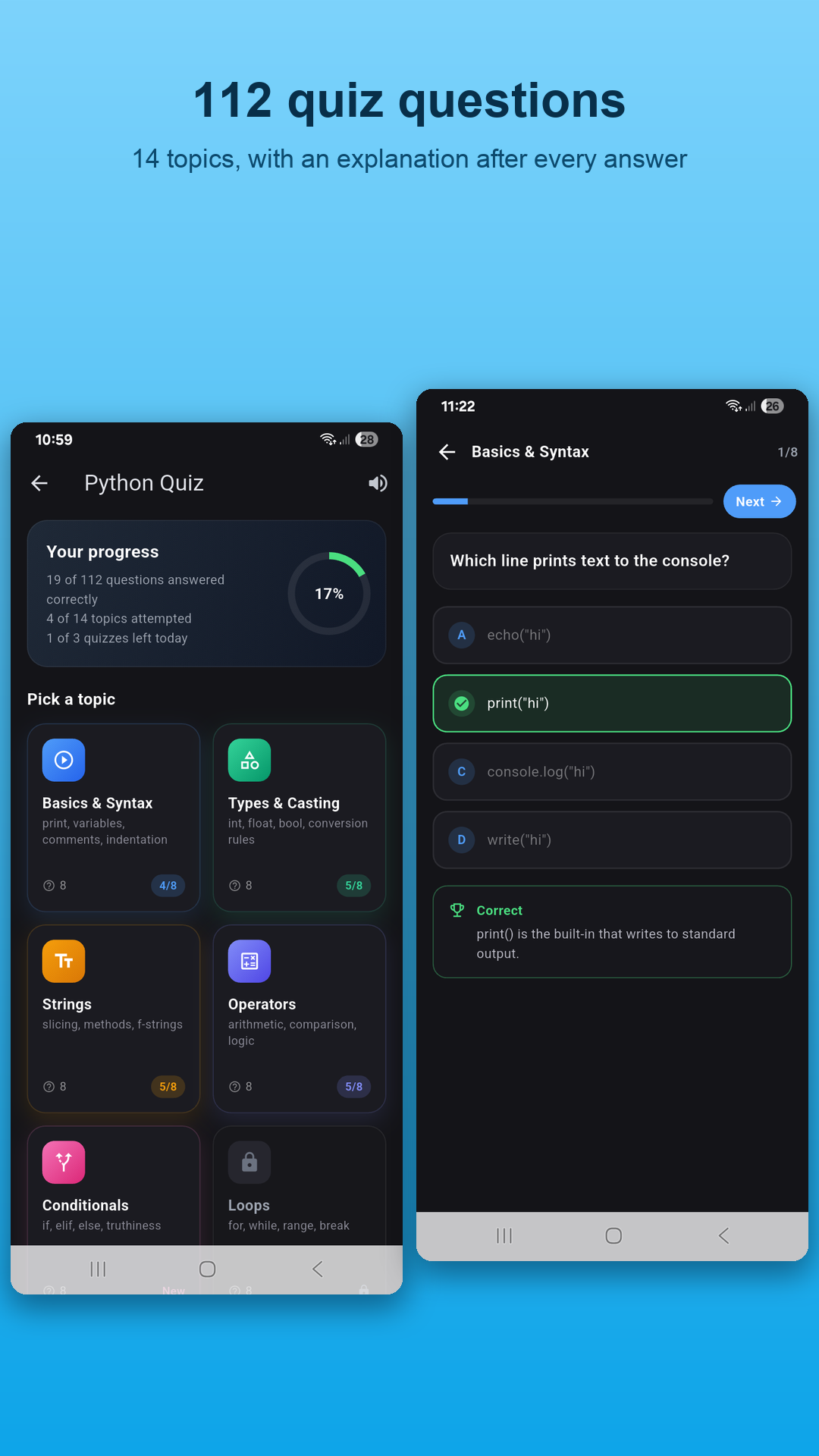
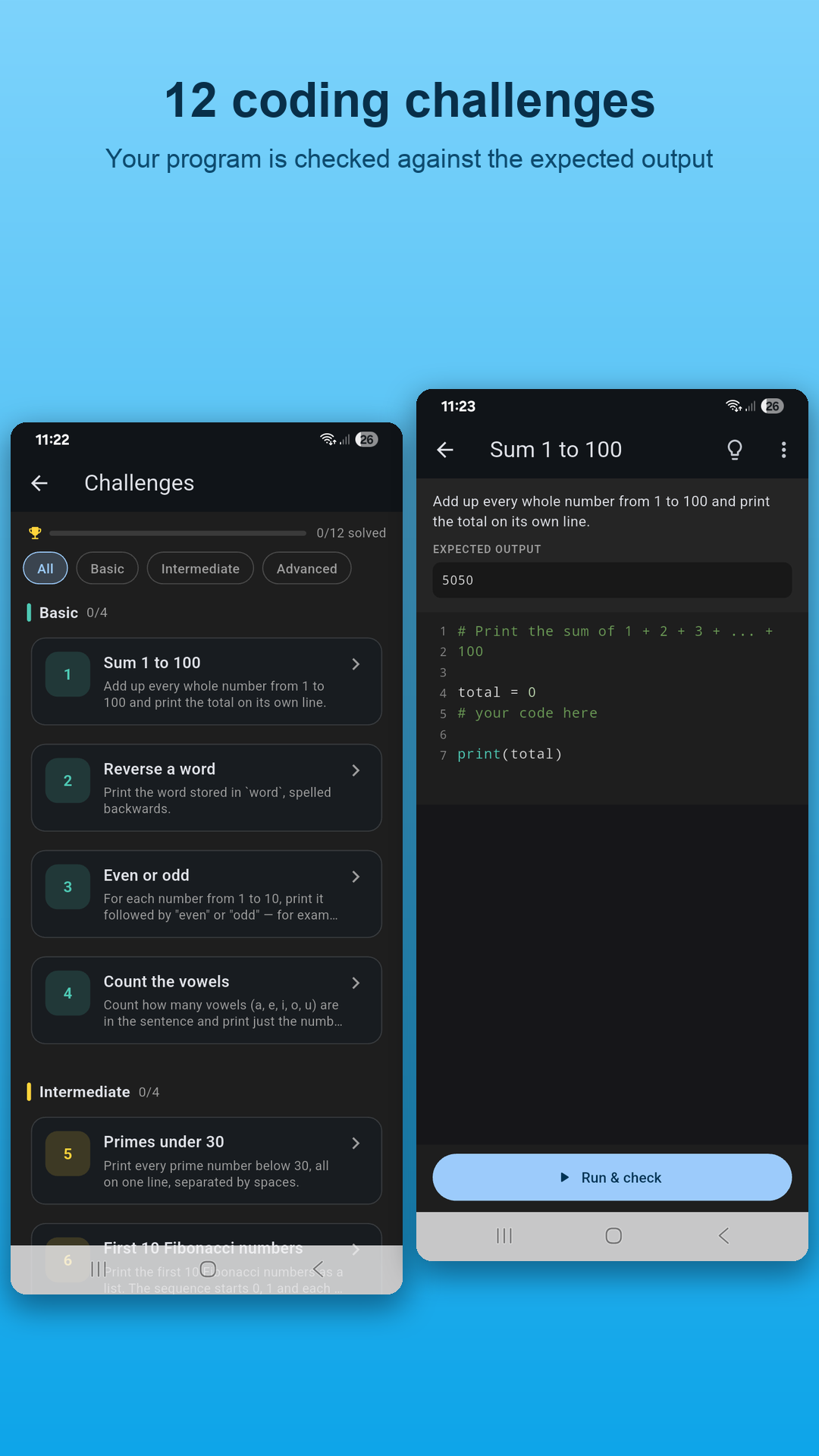
- 30 examples · 112 quiz questions · 12 challenges
- No account, no paywall

A Python compiler built for learning, not just running code
Most "Python compiler" apps are web pages that send your code to a server. Coding Python bundles the real interpreter, then wraps it in the examples, quizzes and challenges you need to actually learn the language.
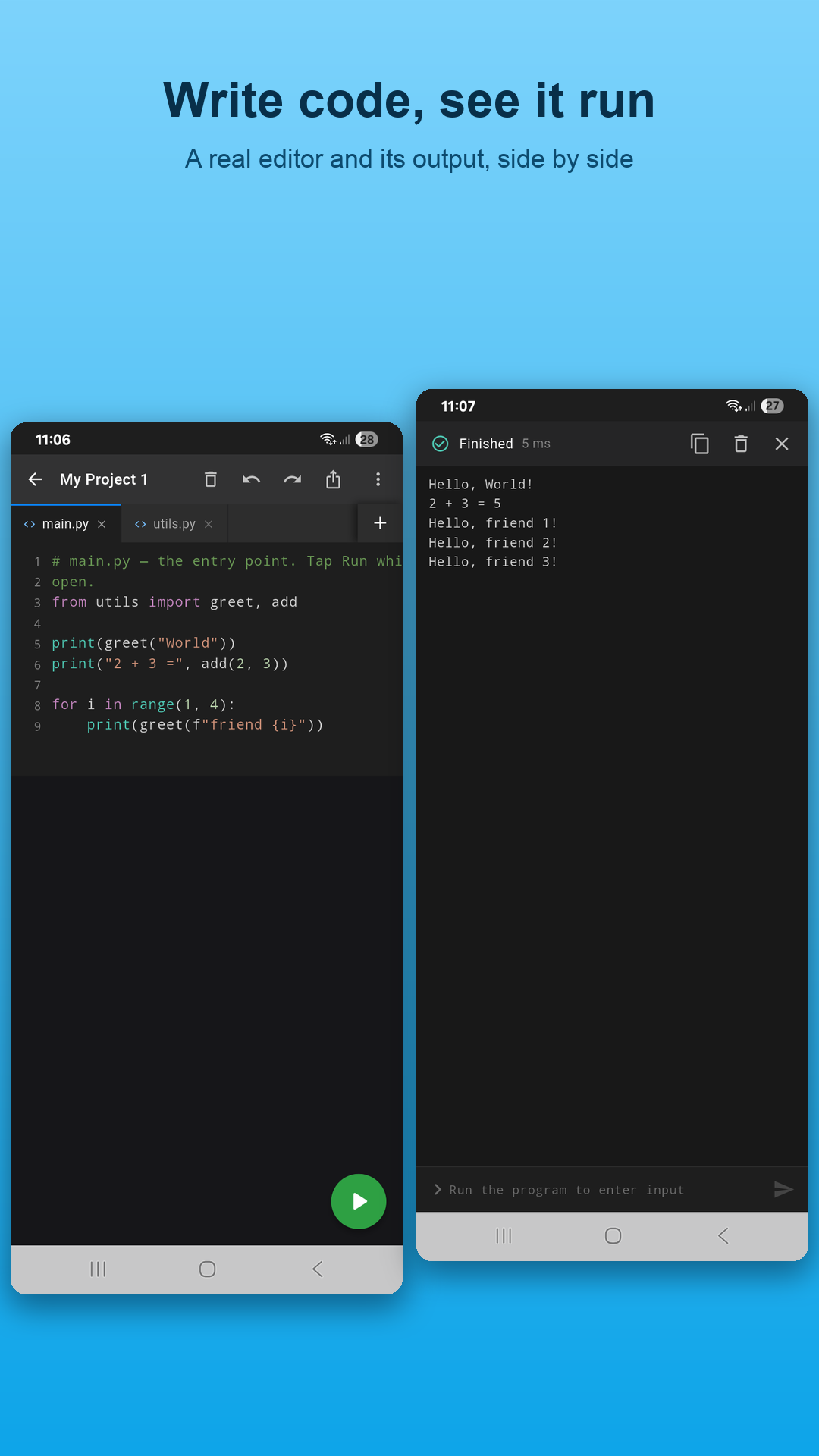
Real Python 3 compiler
A full CPython interpreter runs on the phone itself. No server round-trip, no sign-in, no waiting for a run queue.
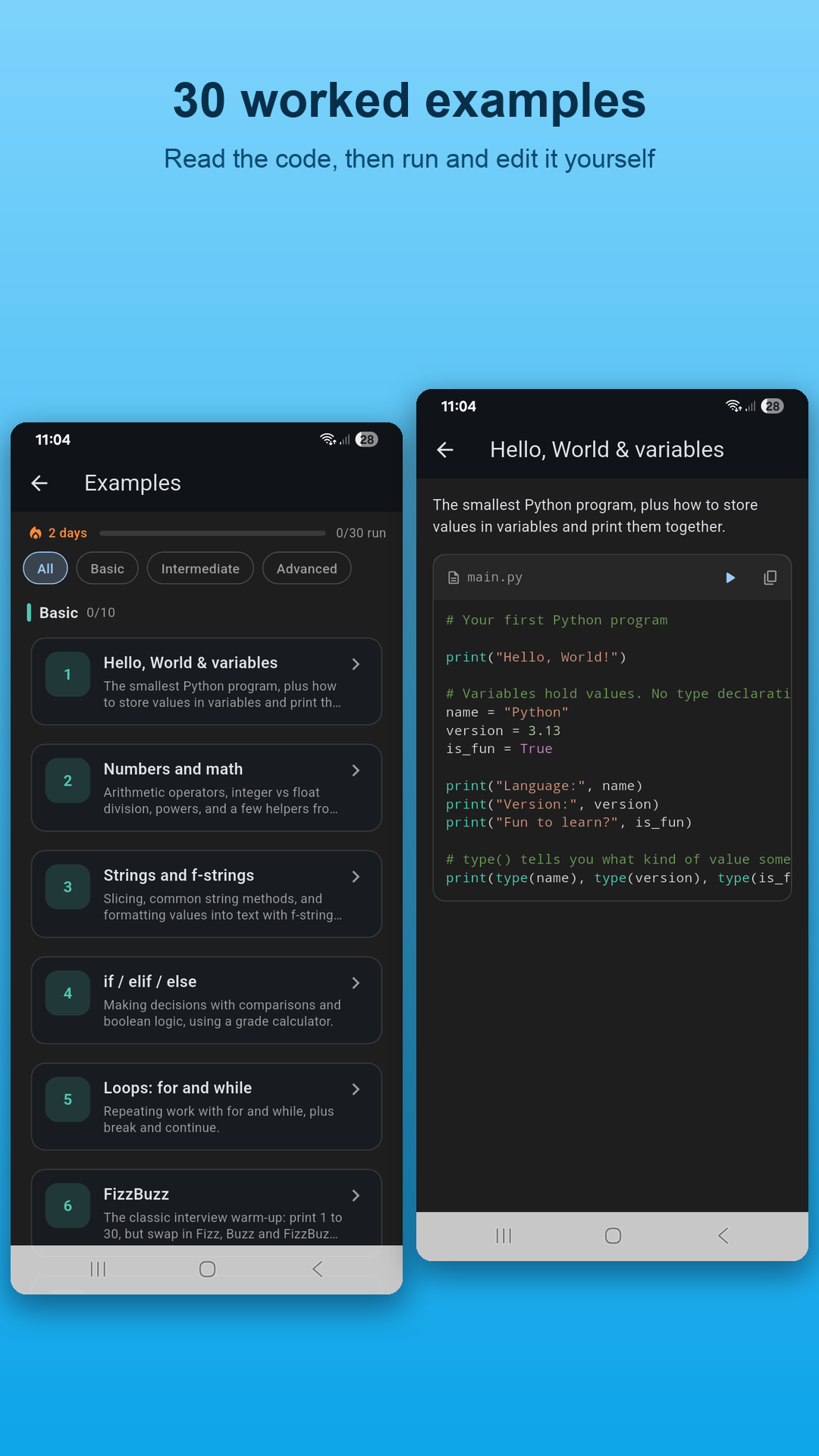
30 example programs
From Hello World to decorators, generators, dataclasses, regex and sorting algorithms — each opens in the editor to modify and run.
112 quiz questions
Multiple-choice questions by topic with instant explanations and progress tracking, so you find gaps before they become habits.
12 self-checking challenges
Write the solution; the app runs hidden tests and tells you if it passes. Real practice, not just reading.
Multi-file projects
Create projects with several .py files that import each other, exactly like on a computer. Files persist between sessions.
Interactive console
input() works properly — the console waits for you to type. Menus, games and quizzes behave as they should.
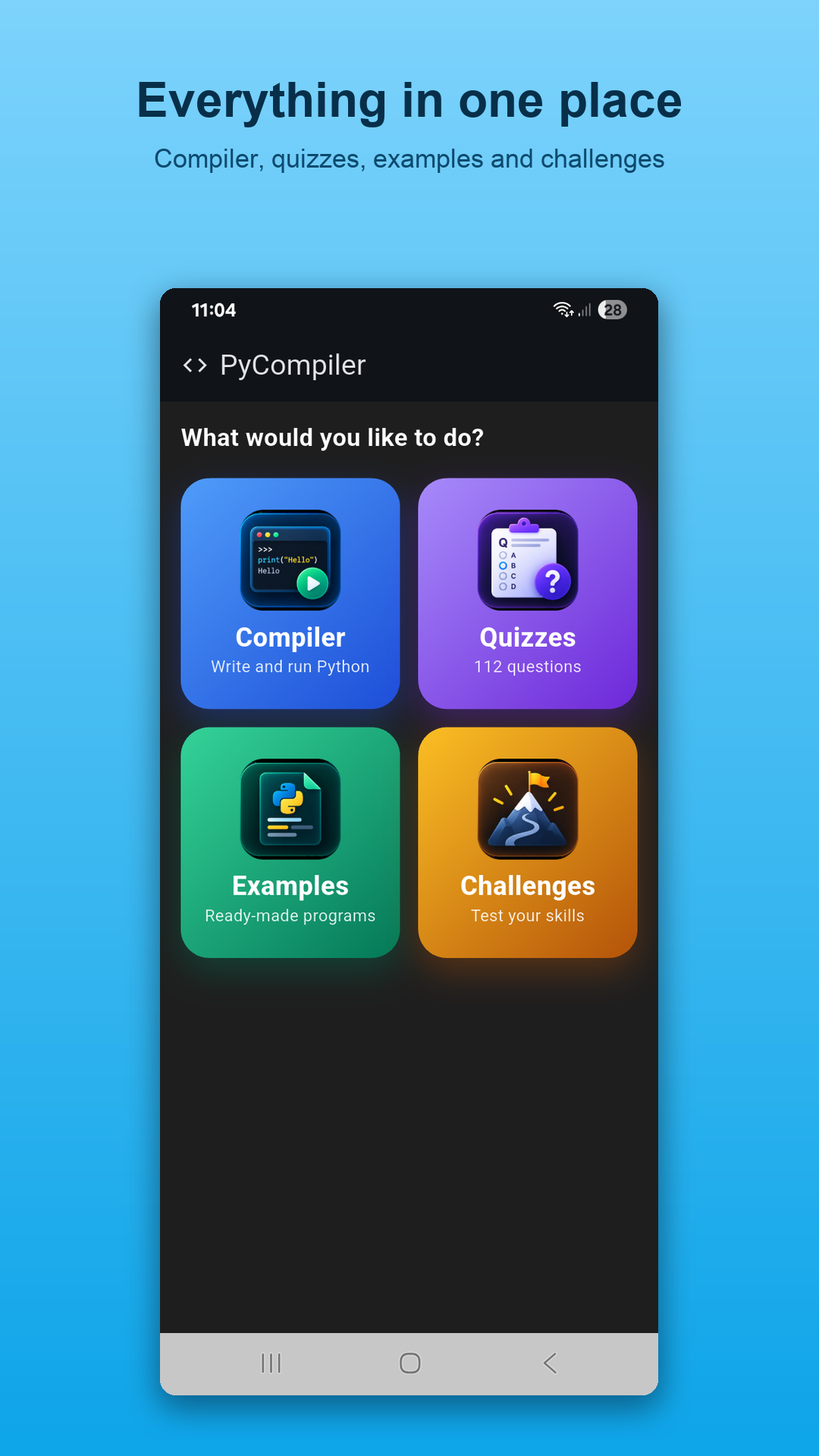
Everything in one place
Compiler, quizzes, examples and challenges, on a dark editor theme that is comfortable for long sessions.
Learn Python in three steps, ten minutes a day
Read a lesson
The Learn Python course goes from your first print() to classes and the standard library, in 14 ordered tutorials with real output shown for every example.
Type it and run it
Open the matching example in the app, change something, tap Run. Instant feedback on the phone beats watching videos — you learn by breaking and fixing code.
Quiz and challenge yourself
Take the topic quiz the same day and three days later. Then solve the self-checking challenge. Spaced retrieval is how the language sticks.
Learn Python from scratch
Start here if you have never programmed. Each lesson is short, tested, and ends with a runnable exercise.
1. What is Python? A Beginner's Introduction to Python Programming
Learn what Python is, what it is used for, why it is the best first programming language, and how to run your first Pyth…
Read lesson →2. Python Variables and Data Types Explained (with Examples)
Understand Python variables, naming rules, the core data types (int, float, str, bool, None), type() and type conversion…
Read lesson →3. Python Strings
Master Python strings: indexing and slicing, the most useful string methods, f-string formatting, escape characters and …
Read lesson →4. Python Numbers and Operators
Learn Python's arithmetic, comparison, logical, assignment and membership operators, integer vs float division, operator…
Read lesson →5. Python if, elif and else
Learn how Python makes decisions with if, elif and else, how indentation defines blocks, nested conditions, the ternary …
Read lesson →6. Python Loops
Learn Python for loops and while loops, range(), enumerate(), zip(), break, continue, the loop else clause and nested lo…
Read lesson →Practical Python guides
Which tools to use, how to study, what to build, and how to fix what breaks.
Python Compiler for Android
Looking for a Python compiler for Android? Here is what actually runs Python 3 on a phone, why most 'compilers' are onli…
Read guide →How to Run Python on Your Phone (Android)
Step-by-step guide to running Python code on an Android phone: which apps actually run Python on the device, how to set …
Read guide →How to Learn Python Fast
The best way to learn Python from scratch in 2026: a realistic 30-day roadmap with daily topics, practice methods that w…
Read guide →Is Python Compiled or Interpreted? Compiler vs Interpreter Explained
Is Python compiled or interpreted? Both. Learn what a compiler and an interpreter do, how CPython compiles to bytecode a…
Read guide →Online Python Compiler vs Android App
Online Python compilers are convenient but upload your code to a server and limit input. A native Android app runs Pytho…
Read guide →Python Quiz
Test yourself with 25 Python quiz questions covering variables, strings, loops, lists, dictionaries, functions, classes …
Read guide →Why learn Python on a phone?
Because the phone is the computer you always have with you. Python is the most popular first programming language in the world — it powers data science, machine learning, web back ends and automation, and its plain-English syntax makes it the easiest mainstream language to learn. What stops most people is not difficulty but time: they never sit down at a laptop. A real Python compiler for Android turns commutes and waiting rooms into practice sessions.
Coding Python was built around that idea. The interpreter is on the device, so the edit-run loop is instant. The console is interactive, so programs that use input() behave properly. And the learning material — 30 examples, 112 quiz questions and 12 self-checking challenges — sits right beside the editor. Pair it with the free course on this site and you have a complete beginner's path that fits in your pocket. When you are ready for bigger projects, everything you learned transfers directly to Python on a computer; see the 30-day roadmap for what to do next.
Frequently asked questions
Is Coding Python really free?
Yes. The app, its Python 3 compiler, 30 examples, 112 quiz questions and 12 challenges are free to download and use. There is no account and no paywalled lesson.
Where does my code actually run?
On the phone itself. The app bundles a complete CPython 3 interpreter and standard library, so code is executed on-device rather than sent to a server.
Can I use input() and multiple files?
Yes. The console is interactive, so input() waits for you to type, and projects can contain several .py files that import each other.
Which Android version do I need?
Android 8.0 (Oreo) or newer, on 64-bit ARM devices, which covers almost every phone sold since 2018.
Is this a good app for learning Python from scratch?
It is built for exactly that: read a lesson here, open the matching example in the app, change it, run it, then take the topic quiz. The tutorials on this site follow the same order as the app's content.
Can I install third-party packages like NumPy?
No. To stay small and reliable, the app ships the standard library only. Everything in the Learn Python course works without extra packages.
Start learning Python today
Download Coding Python free on Google Play, open the first example, and run your first program in under a minute.
Get it on Google Play